UPDATE 9/14/2026: It looks like Chirp now offers native support for the Baofeng MP31.
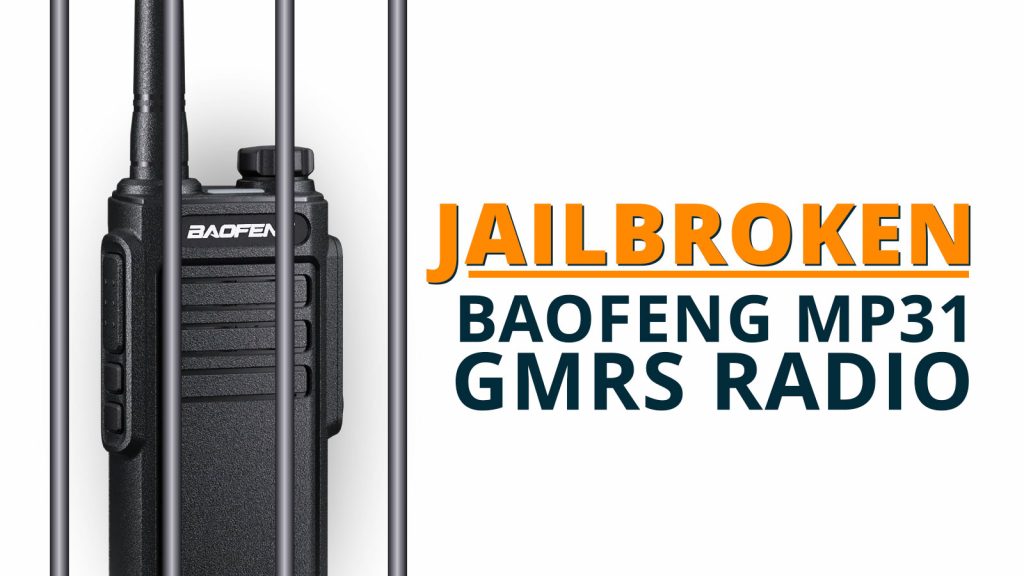
How to unlock the Baofeng MP31 GMRS radio and unleash(ish) its potential
The Baofeng MP31 is not an exceptional radio. It's better than some of the original BF-777s radios from a decade ago, sure. But that's a bit like kissing your cousin instead of practicing with a mango (or whatever).
It's not a stellar piece of equipment, but it does have a few things going for it:
- IP54 water protection
- USB-C charging
- Removable/swappable antenna
- 38 channels (including GMRS repeater offsets)
- Weather channel receiving and scanning
- A whopping 2 watts of output power 😏
But the thing that is most attractive about it?
It's bloody cheap!
A pair of these will currently set you back a whole...$25. (That's $12.50 a radio, for the mathematically-impaired.) If you've got kids, nieces and nephews, or hunting companions you don't mind not hearing from if they're lost in the woods, these are stupid simple and stupid cheap. For affordable short-range communication, you'd be hard-pressed to find something more versatile at that price point.
EDIT: Yes, technically what I said about pricing is correct. However, if you want to stretch your budget to $12.79 per radio, there's better options. Whatever. The hate mail can stop.
Baofeng MP31 — The biggest downside
Sure, the power and audio quality aren't great, but if you're complaining about that for $12.50, your relatives only invite you to Thanksgiving out of pity. So...
The biggest drawbacks come on the programming side:
- As of this writing, there is no Chirp programming support.
- Programming is only possible through Baofeng's utterly atrocious CPS.
- Channelized frequencies are locked and cannot be changed, rearranged, etc.
- Transmit power is locked and unchangeable for all channels and cannot be modified with the software.
- All channels are narrowband, and this, too, cannot even be changed in the software.
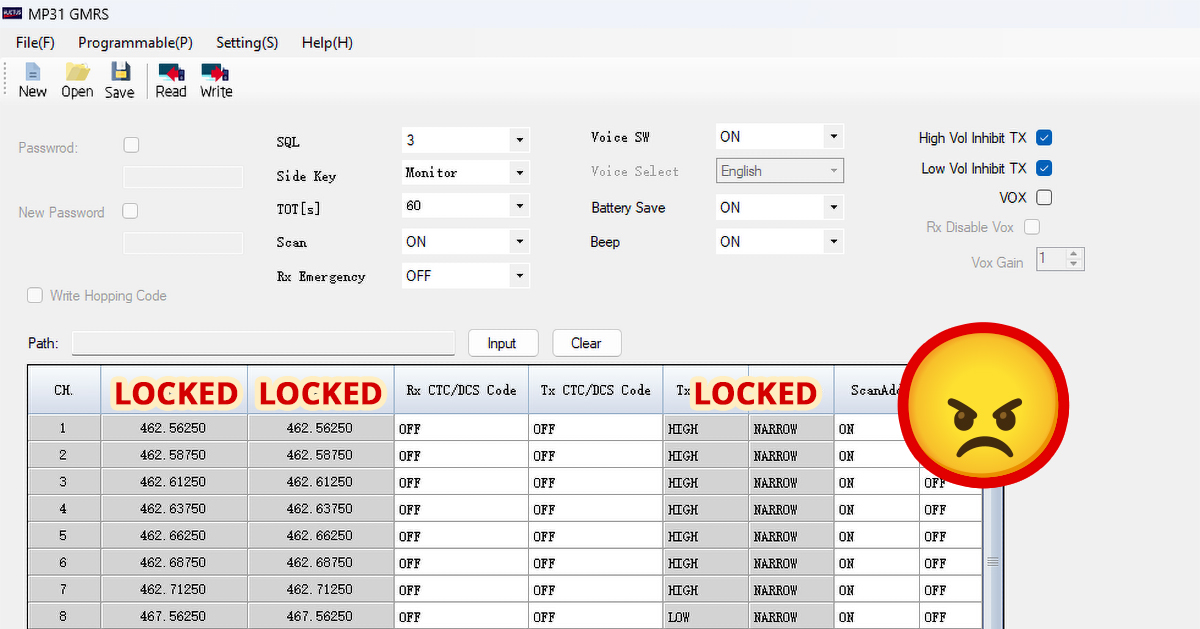
For us control freaks accustomed to Chirp and RT Systems, that's a right swift kick in the 'nads. And THAT is something about which I will complain, regardless of price. (I'm not ashamed.)
The solution — Unlocking the Baofeng MP31
I searched high and low across the Internet. I scoured Reddit. I even consulted a houseplant. (Yes, this strappy jacket does fit nice, why do you ask?)
The closest solution I could find was the recommendation of importing the radio in Chirp as a Baofeng T20FRS. While this did allow for modification of frequencies, transmit power, and bandwidth, you could only write a maximum of 14 channels to the radio, which is tantamount to ordering a pizza and only being allowed to eat the box. I wasn't having it. Give me full control! I want to feel its rapid pulse against my fingers as I stared into its terrified eyes!
And then I found the solution. It was actually so simple I was embarrassed of myself.
1. Use the Baofeng CPS
You still need to use their crappy software for a couple steps, which is only available for Windows. We can't win every battle.
The Baofeng CPS saves the configuration files in .xml format, and this is the beauty of it. Unlike Chirp which saves them an disc images, XML files can be very easily edited in most any text program.
Save a sample file, whether it's the stock config on the radio or just whatever comes up when you open the software. I named my file "Geoff," because it's Tuesday.
2. Edit the XML file
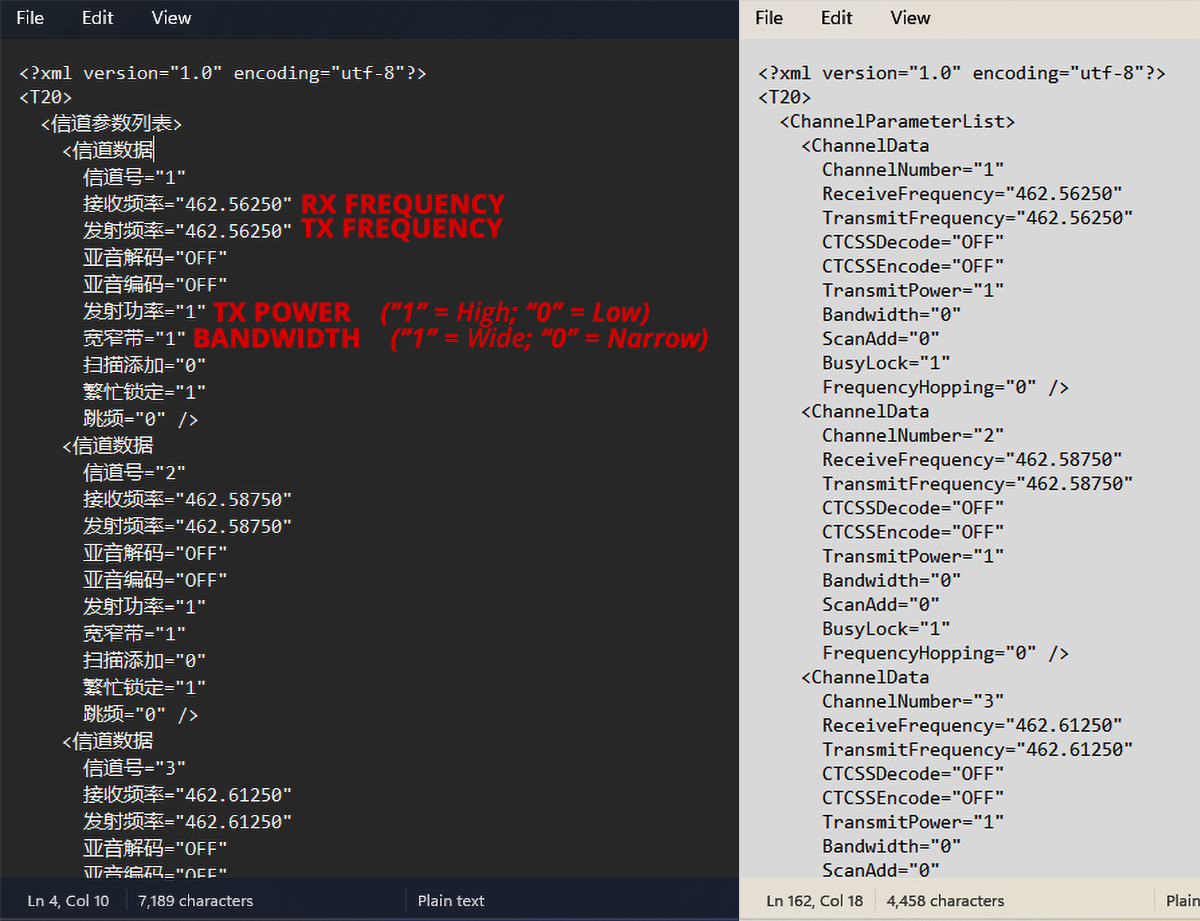
Open the XML file in Notepad. You will be greeted by a list of code that looks like this:
<?xml version="1.0" encoding="utf-8"?>
<T20>
 <信道参数列表>
   <信道数据
     信道号="1"
     接收频率="462.56250"
     发射频率="462.56250"
     亚音解码="OFF"
     亚音编码="OFF"
     发射功率="1"
     宽窄带="0"
     扫描添加="0"
     繁忙锁定="1"
     跳频="0" />
   <信道数据
     信道号="2"
     接收频率="462.58750"
     发射频率="462.58750"
     亚音解码="OFF"
     亚音编码="OFF"
     发射功率="1"
     宽窄带="0"
     扫描添加="0"
     繁忙锁定="1"
     跳频="0" />
   <信道数据
     信道号="3"
     接收频率="462.61250"
     发射频率="462.61250"
     亚音解码="OFF"
     亚音编码="OFF"
     发射功率="1"
     宽窄带="0"
     扫描添加="0"
     繁忙锁定="1"
     跳频="0" />
...
As you can see, it IS actually based on the T20, so hopefully full Chirp support is not far behind and this whole post will be irrelevant and my life will once again be meaningless. [sighs in Latin]
I found that, apparently, the Chinese is specifically tied to fixed field identifiers, so translating to English just breaks the whole setup. Be a builder, not a destroyer...you're better than that.
But, from here you can edit all of the frequencies, set transmit power and bandwidth for any channel, and righteously undo this evil which has been perpetrated upon us.
3. Save and write to the radio
Then, simply:
- Save the Notepad file as an XML document (make sure to add ".xml" to the end)
- Open that file in the Baofeng CPS
- Make any other changes or edit you need to
- Upload it to your radio
Use the Baofeng MP31 radio for 70cm/440mhz ham radio
So, is the Baofeng MP31 locked to only GMRS frequencies? Nope! The radio is actually capable of transmitting on any frequency from 400-480mhz UHF. This means that you can actually program it (by editing the XML file) for both simplex and repeater work within the 70cm amateur radio band!
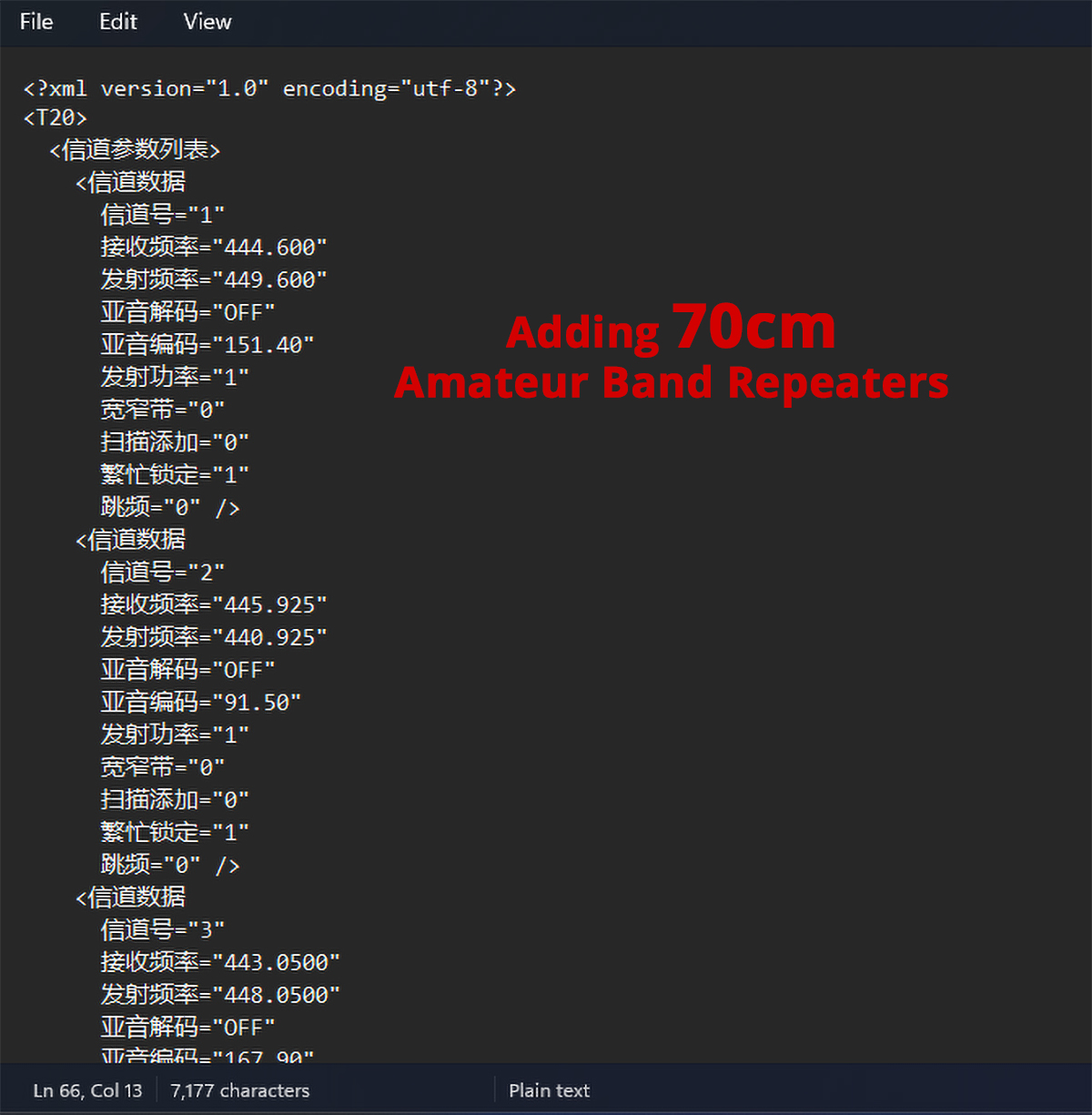
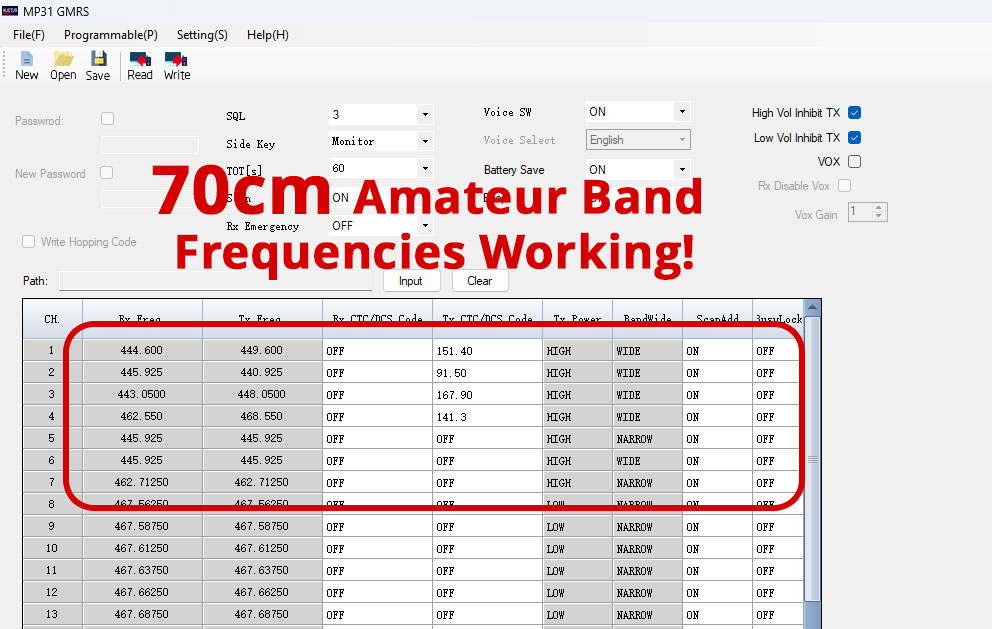
The radio is only 2 watts on a day it's taken all its Adderall, so good luck hitting a repeater unless you've parked your magic carpet next to its antenna. But short range simplex seems to work fine.
Can I add more than 38 channels to the Baofeng MP31?
Nope. Tried it. Even when manually editing the XML file to include channels above 38, the CPS just rolls its eyes and says, "Nah."
The real capabilities of the Baofeng MP31
So, armed with this new knowledge (maybe it's new, maybe someone already found this solution, idk), what does the Baofeng MP31 give you?
- 38 fully-customizable channels
- Full RX/TX from 400mhz to 480mhz
- GMRS and 70cm ham radio capabilities, for both simplex and repeaters
- Removable antenna
- USB-C charging
- IP54 water resistance
- Channel scan
- WX receiving AND scan
- A cheap radio you can hand out to others, lose in the woods, treat as disposable, etc.
All for $12.50
Honestly, it's not the worst deal in the world.